Manage clients
from anywhere
Stay on top of your contacts, deals, and tasks whether you're at the office, meeting clients, or on the go. Your full CRM in your pocket.


Complete contact
profiles at your fingertips
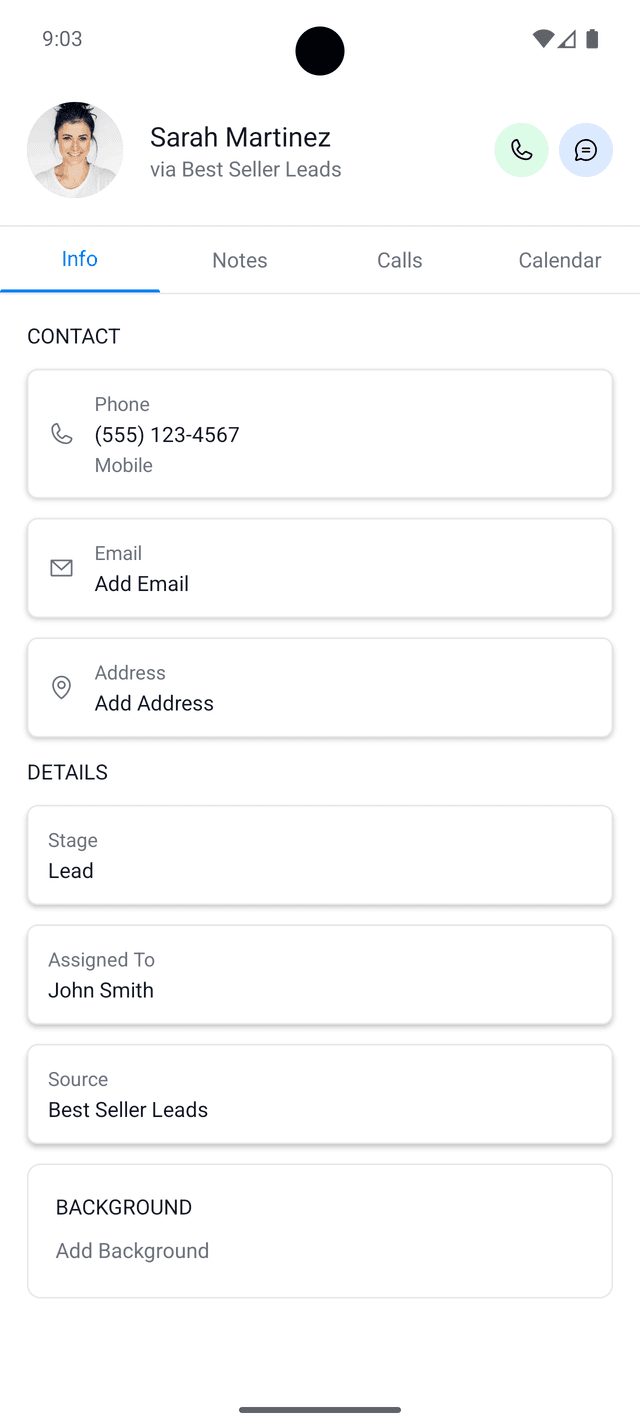
Access full contact histories, update details, add notes, and track interactions all from your phone. See exactly where each contact is in your pipeline, who they're assigned to, and their complete background. Call, text, or email directly from the app with quick actions that keep you moving fast.
Stay organized
with calendar sync
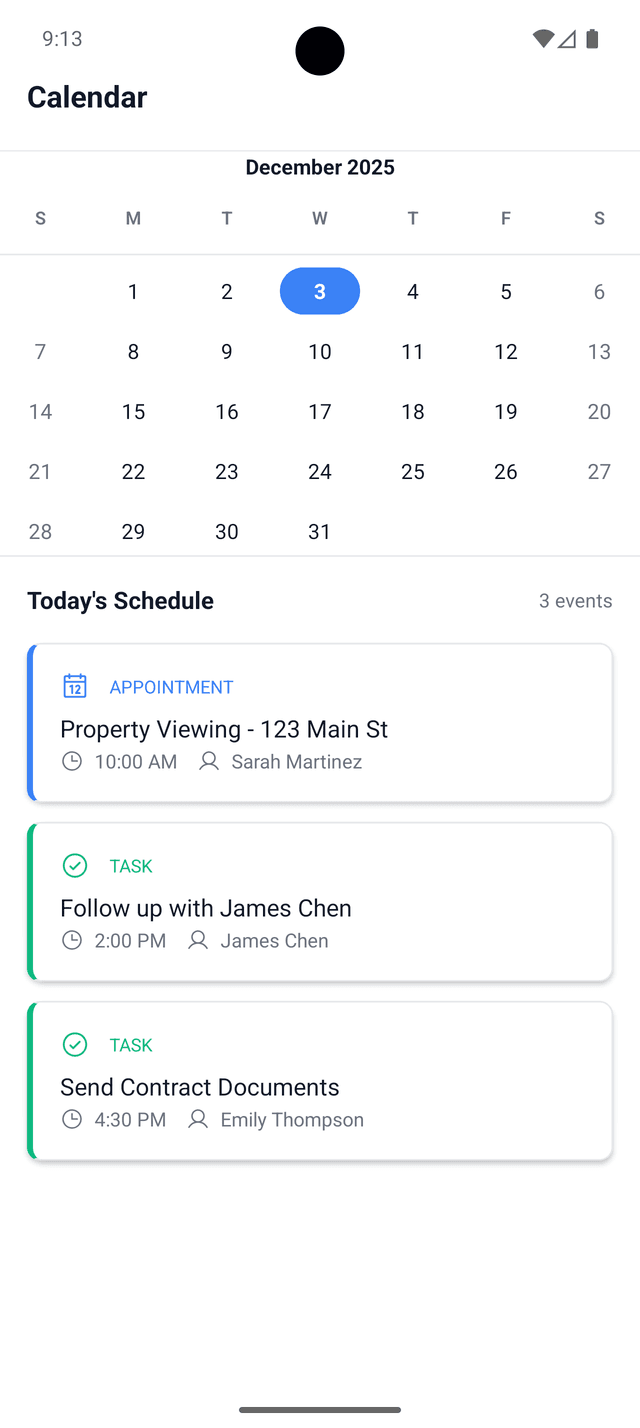
Never miss a follow-up or appointment. Your schedule, tasks, and appointments sync seamlessly across all your devices. View all your commitments in one place, get reminders for upcoming meetings, and create new tasks on the spot. See client names and details for each event so you're always prepared.
Track your pipeline
on the move
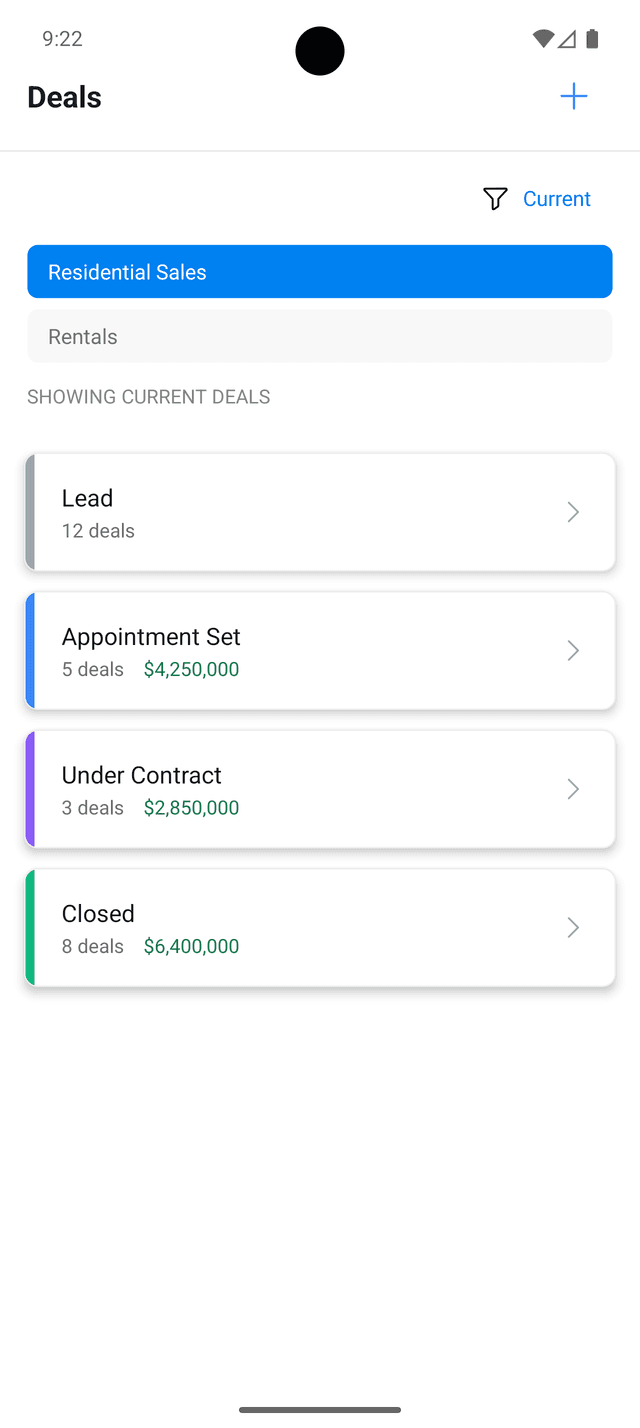
Keep tabs on every deal in your pipeline no matter where you are. Move deals between stages, update values, and see your progress at a glance. Your team stays in sync with real-time updates, so everyone knows exactly where things stand.
Everything you need to
work on the go
Client Commander mobile gives you the power of your full CRM in your pocket with features built for professionals who are always on the move.
Real-time sync
Changes sync instantly across web and mobile. Update a contact on your phone and see it reflected everywhere immediately.
Offline access
View contacts and take notes even without internet connection. Everything syncs automatically when you're back online.
Push notifications
Get notified about important tasks, deals, and team updates so you never miss what matters most.
Fast & native
Built specifically for mobile with smooth, intuitive navigation that feels natural on your device.
Secure
Your data is encrypted and protected with industry-standard security so your client information stays safe.
Free included
Mobile app included with every Client Commander workspace at no extra cost. No additional fees or subscriptions.
Frequently asked
questions
Is Client Commander mobile app free?
Yes, the Client Commander mobile app is completely free and included with every workspace at no extra cost. There are no additional fees or in-app purchases required.
Does Client Commander work offline?
Yes, you can view contacts and take notes even without an internet connection. All changes you make offline will sync automatically when you're back online, so you never lose any work.
What platforms is Client Commander available on?
Client Commander is available now on Android devices via Google Play Store. The iOS version is currently in closed beta testing and will be available on the App Store soon.
Do I need a Client Commander workspace to use the mobile app?
Yes, you'll need an active Client Commander workspace to sign in to the mobile app. If you don't have one yet, you can start a free 14-day trial at workspace.clientcommander.com.
Does the mobile app sync with the web version?
Yes, everything syncs in real time between the mobile app and web version. Changes you make on your phone appear instantly on your desktop and vice versa, keeping your entire team in sync.
Take your CRM everywhere
you go
Download the app and sign in with your Client Commander workspace to start managing your contacts on the go.
Don't have a workspace yet? Start your free 14-day trial